Manage CROs, sponsors and facility sites
Each study lists the organizations that run it: one or more CROs, one or more sponsors, and the facility sites that enroll the subjects. Users belong to a CRO or a sponsor, and investigators also to a facility site. Together, these decide which studies and subjects each user sees.
Who can do this:
- For Clinical Research Organizations, a System Administrator adds and deletes them. A Clinical Research Administrator can also change their own.
- For Sponsors, only a System Administrator.
- For Facility Sites, a System Administrator or a Clinical Research Administrator adds them. A Clinical Research Administrator can change or delete only the sites they added.
Add a CRO or a sponsor
Section titled “Add a CRO or a sponsor”-
In the admin, open Clinical Research Organizations or Sponsors. Select Create New.
-
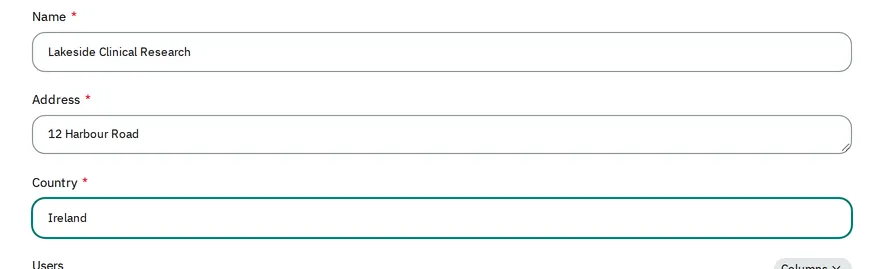
Enter the organization’s Name, Address and Country. The admin needs all three.
-
Select Save.
Add a facility site
Section titled “Add a facility site”-
Open Facility Sites. Select Create New.
-
Enter the site’s Name. The other details, such as Address and Country, are optional.
-
Select Save.
Give a study its organizations and sites
Section titled “Give a study its organizations and sites”-
Open Studies. Open the study.
-
In Study Overview, add the organizations to Sponsors and CROs. Add the sites to Facility Sites.

-
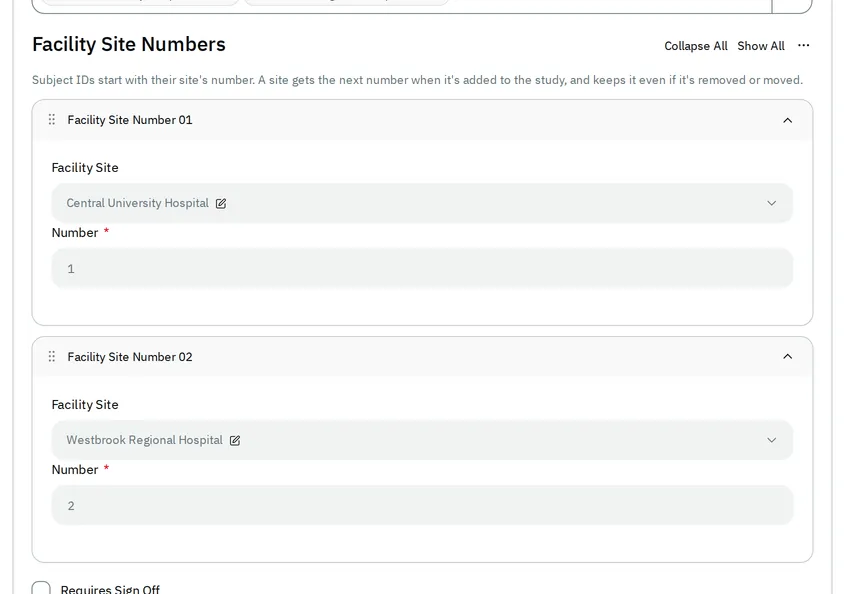
Select Publish changes. Each new site gets a number, shown read-only in Facility Site Numbers under Facility Sites.
Users see the change once you publish it. Only a System Administrator can change a study’s Sponsors and CROs.
Delete a facility site
Section titled “Delete a facility site”You can delete a site that no study has listed, such as a site that you added by mistake. The admin keeps each site that a study has listed, because the IDs of its subjects start with its number.
-
Open Facility Sites. Open the site.
-
Next to Save, select the button with three dots. Select Delete.
-
Select Confirm.
If the admin does not delete the site
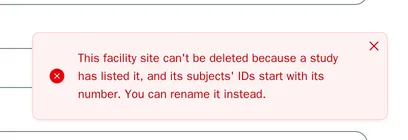
Section titled “If the admin does not delete the site”The admin does not delete a site that a study has listed, even after you remove the site from the study. It shows This facility site can't be deleted because a study has listed it, and its subjects' IDs start with its number. You can rename it instead.
Keep the site. If its Name is wrong, change it and select Save.
The admin also does not delete a site that a user still lists. It shows This facility site can't be deleted while users list it. Give them another facility site first. The site’s page shows these users under Users. Give each user another facility site, as Change a user’s access shows. Then delete the site again.
As a Clinical Research Administrator
Section titled “As a Clinical Research Administrator”-
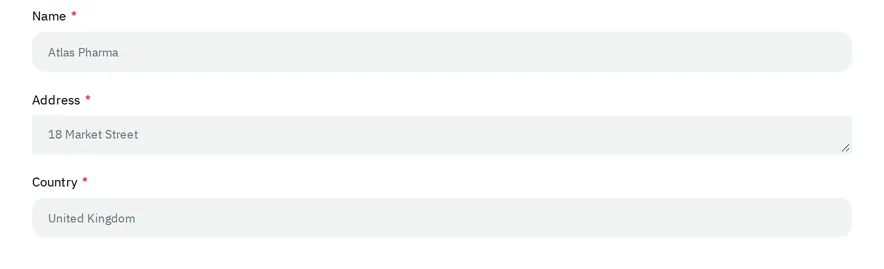
The list of Sponsors shows the sponsors, but you cannot add one or change one.
-
In Clinical Research Organizations, you can change your own CRO.
-
You can add facility sites, and change the ones you added. The sites that someone else added are read-only.
-
In your organization’s studies, you can add facility sites to Facility Sites, then publish. If another administrator’s draft holds changes you cannot make, such as to the protocol, the admin does not publish: see Publish a study change.